
 Back
BackMap Question Type
The map question type lets you create a question where respondents answer by dropping one or more pins on an on-screen map and optionally leaving a comment.
Creating a Map Question
To create your map question:
- Click Add Question on your survey.
- From the menu, select Map.
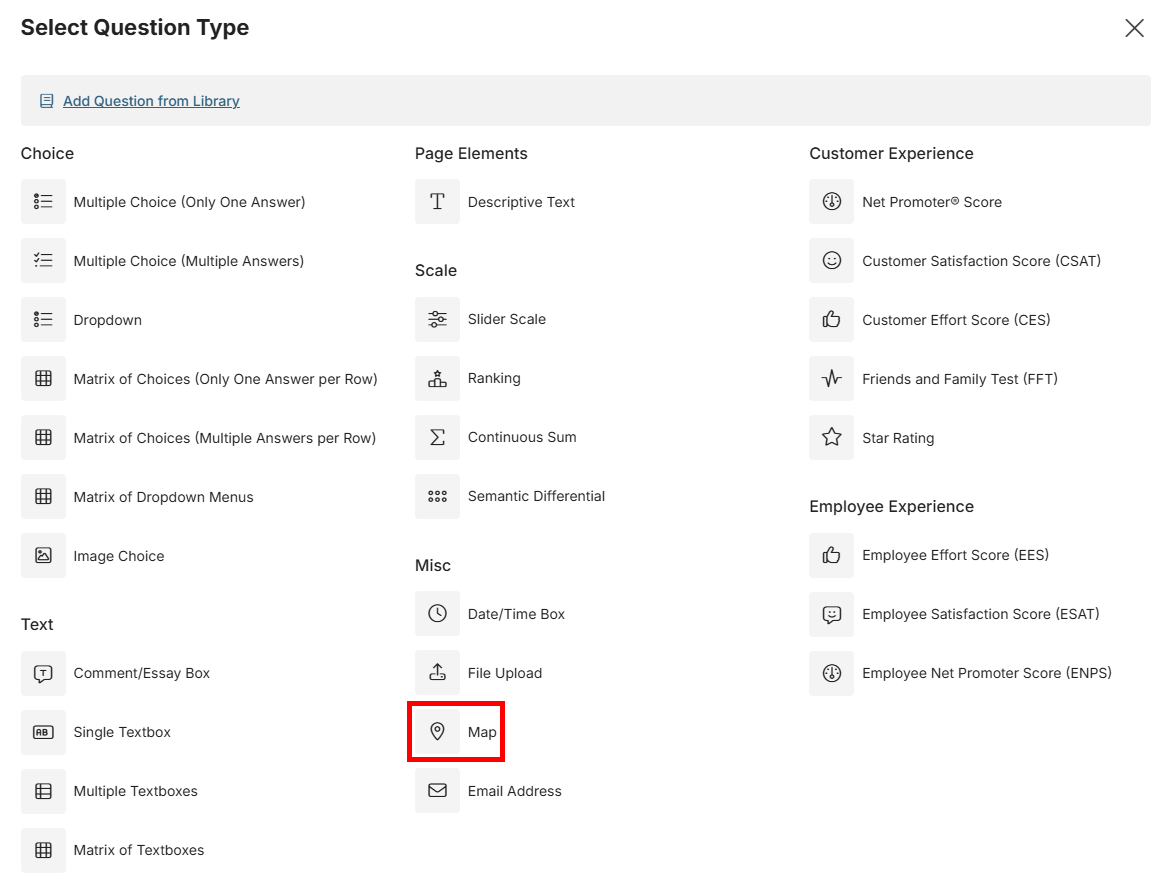
- Enter your question text in the Question box.
- In the map box, Pan and zoom to set the default view – the view that respondents will see when they first arrive at your survey. When you’re happy with your view, click “Set Default View” and the bar above the map will go green.
- Under the map box, you’ll need to set the click area. This has two settings:
- Anywhere – the respondent can place a pin anywhere in the world.
- Draw – create a boundary inside which the respondent is allowed to place a pin.
- If you select draw, a bar with three options will appear underneath the map box:
- Polygon – Click on the map to create a shape made up of straight lines. The selection point will snap to the start point when close to help close the shape.
- Circle – Click on the map at the center of where you want your circle to be., then move the mouse to set its size and click once you’re happy.
- Square – Click on the map to choose one corner of a rectangle with sides that run north-south and east-west. Move the mouse to place the other corner and click to set the size.
- After you’re happy with the click area, click “set area” to save it, and the area bar will turn green.
- The question can now be saved. If you can’t save the question, double check you have set a default view, and that you’ve set your click area, if you’ve chosen to use one.
Extra Options
Allow a Comment per pin – Set whether respondents can leave a comment alongside their pin. If this is set to On, then further options can make a comment mandatory and allow you to set a character limit for each comment.
Pin Color – You can set a color for the pin.
Pin Count Limits – When set to off, a respondent can answer each question with as many pins as they like. Set to on, this lets you sit a minimum, maximum, an exact number, or a range of pin drops per respondent.